CTA (Calls to action)
Primary
A call to action (CTA) is a button or link that tells users what to do next.
Guidelines:
- Use just one CTA button per screen or modal.
- You can add an icon to the left side of primary and secondary buttons when they represent simple actions (e.g., Add).
- Only put icons on the main action button of the page.
Make call-to-action buttons clear and predictable. Each button should:
- Start with a strong action verb that clearly describes what will happen when clicked.
- Keep language simple and direct:
- Avoid slang and idioms that may confuse users
- Skip technical jargon and internal company terms
- Use everyday words that everyone understands
- Follow AYODE’s established voice and tone guidelines while maintaining clarity. Write all button text in sentence case, capitalizing only the first word.
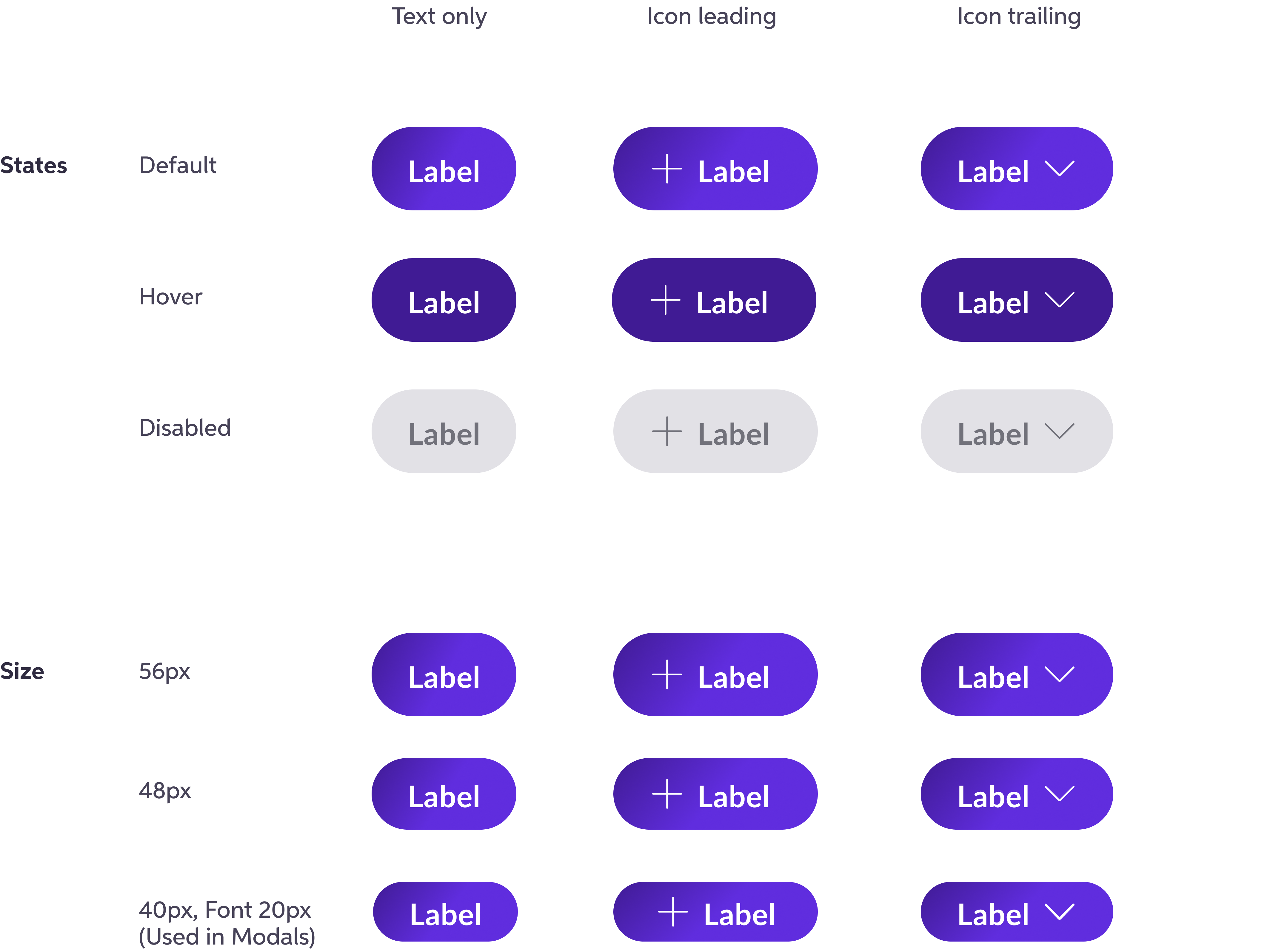
Primary CTA buttons are:
- 56 px tall
- 80 px to 288 px wide
- Can be 48 px tall on small screens